

You can now create a student account on Katestai. Keep your completed work in one place, spot topics you find difficult and decide what to practise next. Maths practice becomes easier to plan when you can see your learning history alongside each test result.
Your account and teacher-assigned tests
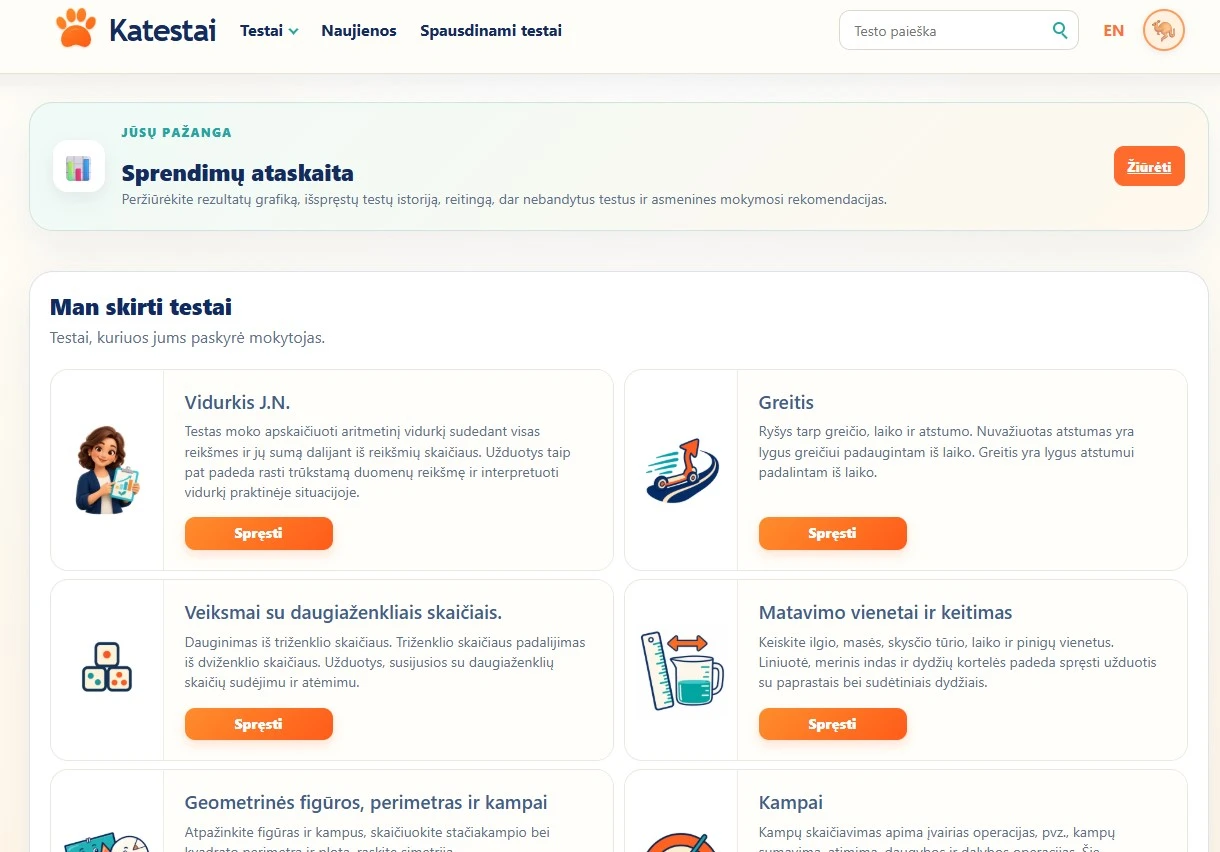
Choose a student account when registering, select your grade and create your login details. An email address is optional for student registration. You can choose an avatar and a nickname, then sign in to save your test results to your account.
Teachers can create student groups and assign both Katestai tests and tests they have created themselves. When your account is linked to your teacher, these appear under “Tests assigned to me”. Pick an assigned test and start solving, without searching for each individual link. Teachers can follow the activity and results of students linked to their account.
The screenshots below show the Lithuanian interface.
Results you can understand
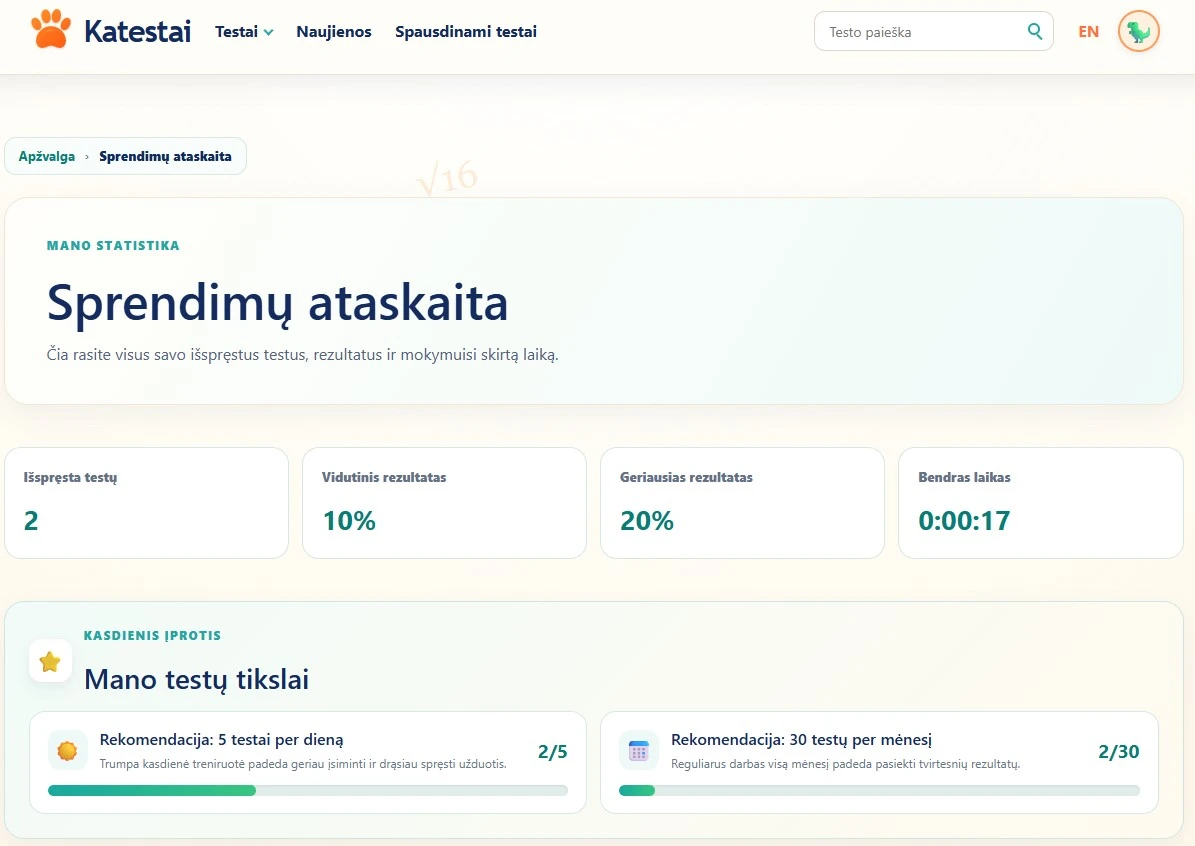
Your results report contains your completed test history, scores and time spent solving. See how many tests you have completed, your average and best result, and your total study time. These results help you identify strengths and topics that need more practice.
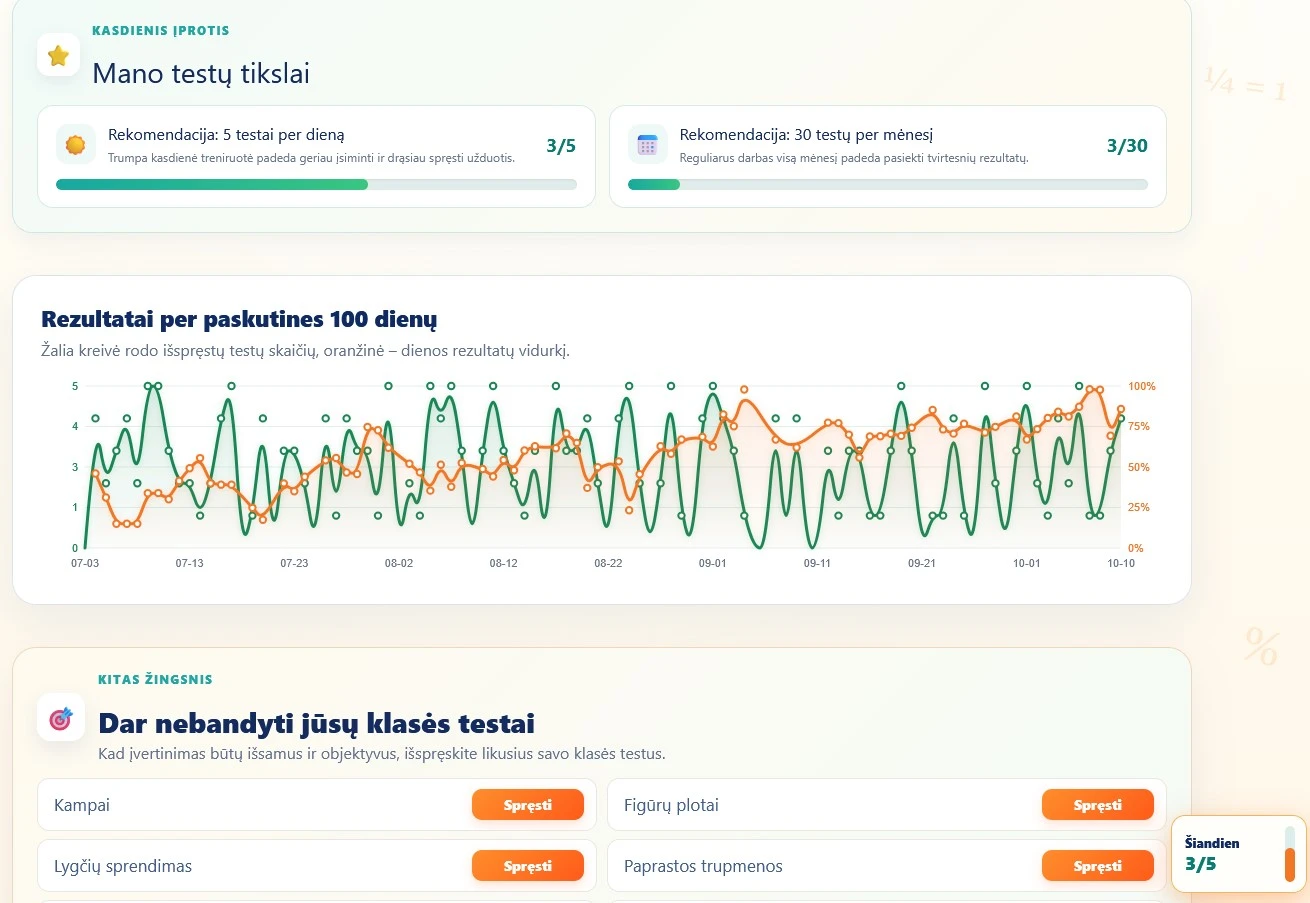
A chart covering the last 100 days shows your test activity and daily average results. The report also lists tests for your grade that you have not tried yet, helping you explore more topics instead of practising only your favourites.
Daily and monthly challenges
Your account displays two practice goals: 5 tests a day and 30 tests a month. Progress bars show how far you have come, and you receive a congratulatory message when you reach a goal. These are recommendations to help build a habit, not compulsory targets. Choose a pace that suits you, work carefully and make time for breaks.
Recommendations based on your results
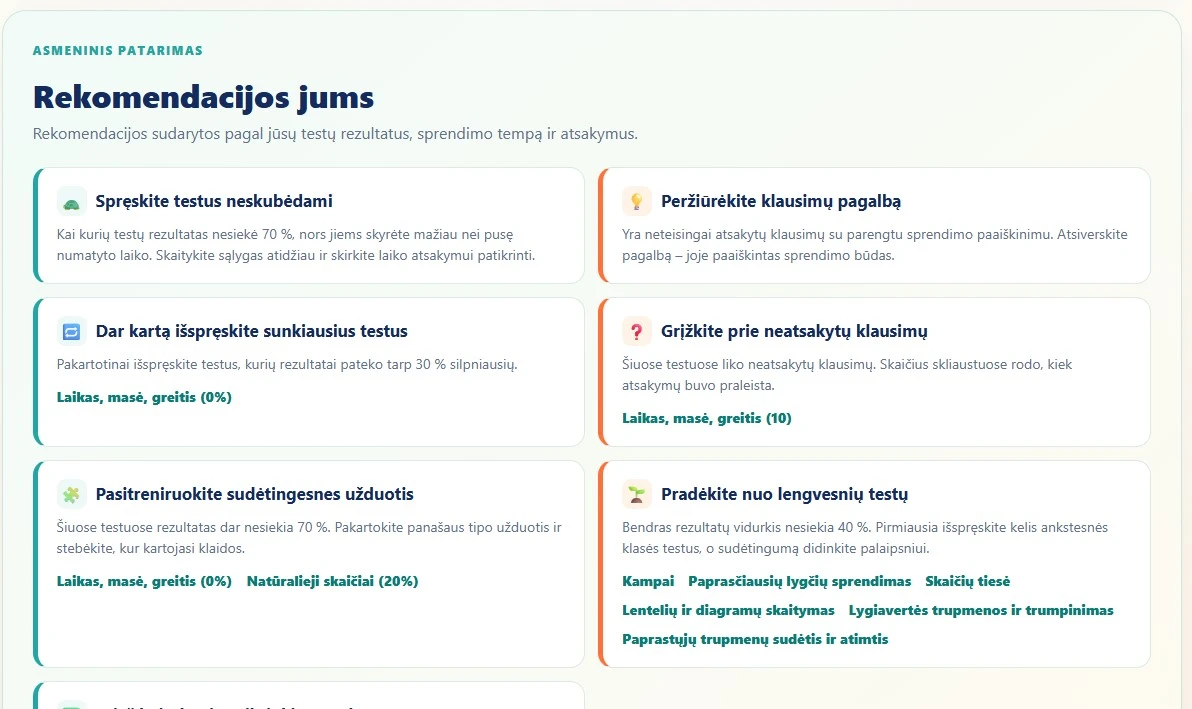
Personal recommendations use your test results, answers and solving pace to suggest useful next steps. They may encourage you to:
- retry your most difficult tests and practise topics where mistakes recur;
- return to unanswered questions and review available question explanations or topic theory;
- slow down and check your answers more carefully;
- start with easier tests or try more challenging tasks when you are doing well;
- complete unattempted tests for your grade and practise regularly.
Recommendations are not a school grade or a final assessment of your abilities. They help you choose what to do next. Katestai supports your learning at school: practise, discuss difficulties with your teacher and follow how your results change.
Join the test leaderboards
Signed-in students can join a test’s TOP 10 for the last 30 days. Points depend first on the number of correct answers and then on solving time. More correct answers always take priority over speed. Only each student’s best result for the period counts, so one person cannot occupy several places.
After finishing a test, you see your points. If you set a new personal best and reach the TOP 10, you receive a special congratulatory message. You can compete in leaderboards for your own grade and higher grades. Only approved nicknames appear publicly; until approval, a neutral user label is shown.
Start with your own account
Create a student account, choose your first test and start building your learning history.
Register as a student