
Create an account for teachers and parents on Catestia to organise maths practice for children. Keep student accounts, assignments and results in one place.
How to register
Open the sign-in and registration page, choose registration and select the adult account type, which is designed for teachers and parents. Complete the form and sign in to start creating student groups and your own tests.
Classes, groups and student accounts
Use Student accounts to create classes or smaller groups. Create several student accounts at once from a list, or link existing accounts. Parents can use the same tools to organise practice for their children.
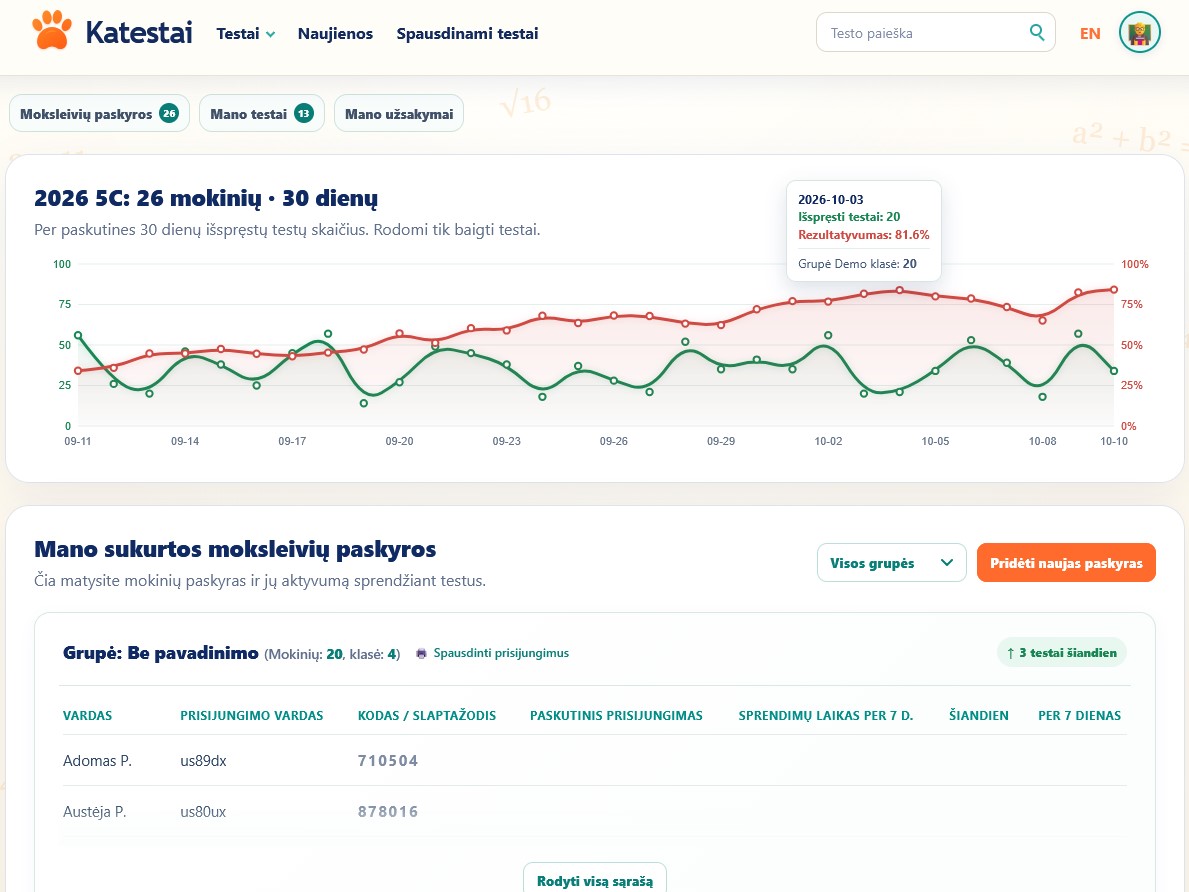
Each student row shows their username, access code, last sign-in, time spent solving over the last 7 days, and tests completed today and during the week. Use the group filter to select a class.
Student login cards
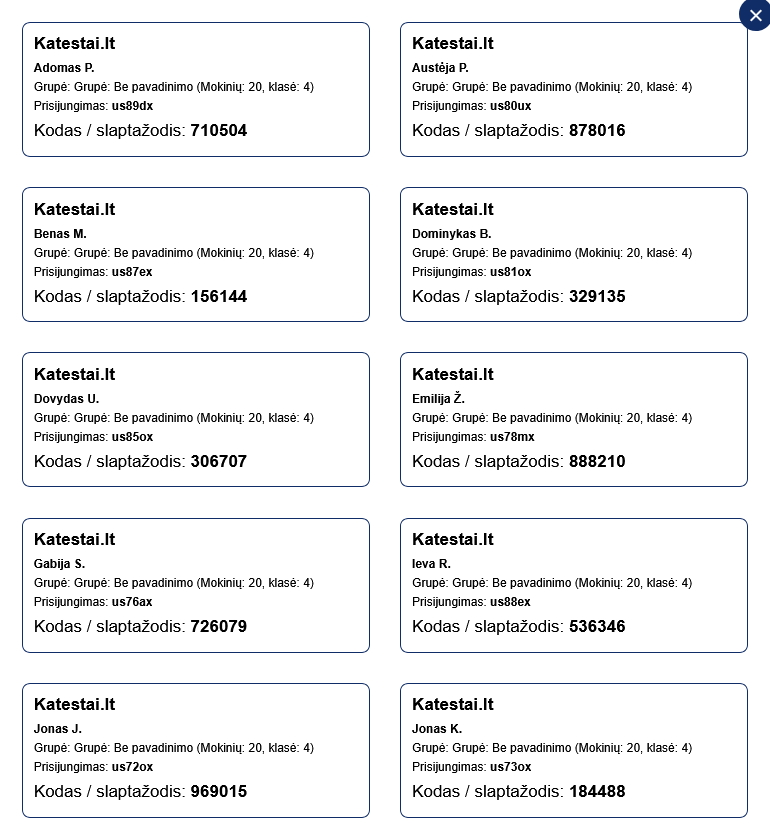
Print login cards for the whole class at once, your full student list or a selected group. Each card contains the student name, group, username and code / password.
There is no need to write out login details separately for every student: print the cards and hand them out to the class. Students have their details ready, can start work more easily and can use the same card when signing in at home.
Build your own tests
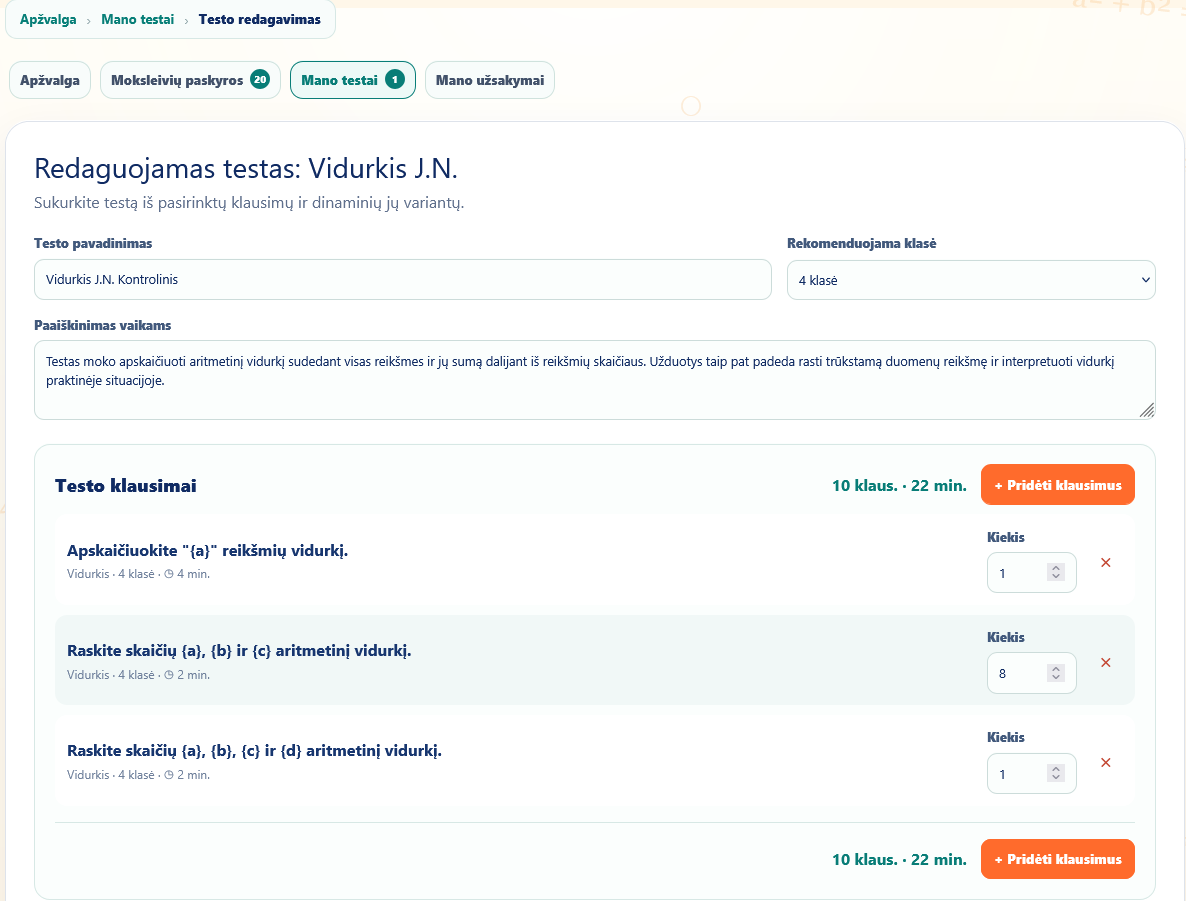
In My tests, create a test using questions from the site. Add a title, recommended grade and instructions for students, then choose questions from different topics and grades.
Set the quantity for each question. Dynamic questions let you include several variants of the same task type with generated data. The editor shows the total question count and estimated solving time, helping you plan a short practice session or a longer assignment.
The screenshot below shows the Lithuanian interface.
Assign tests to your groups
Assign both standard site tests and tests you have created to your groups. Students linked to your account will find them under “Tests assigned to me”. Organise assignments by class, topic or group needs.
Follow activity and results
The group chart shows completed test counts and results over the last 30 days. Use it to follow practice activity and changes in performance.
You can also review individual student activity and the solving statistics for tests you have created. These results help you decide what to revisit with the group and who may need more practice.
Printable tests and orders
Your account lets you order printable tests, view order status and history, and use discount codes assigned to your account, if available. Printable test orders are a separate service.
Start with a teacher or parent account
Register, create your first student group and choose suitable tasks.
Registration for teachers and parents